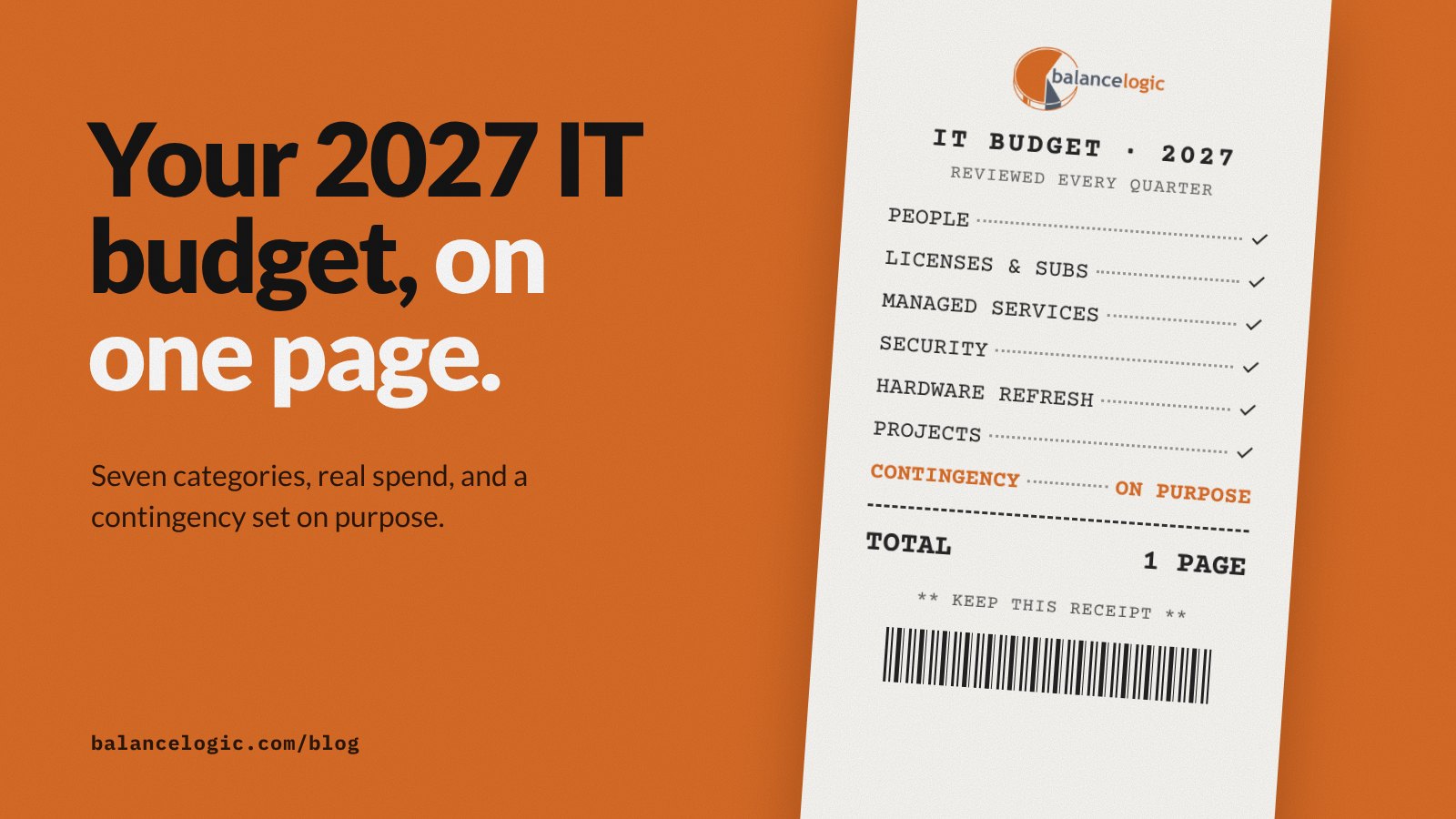
A 2027 technology budget fits on one page when you sort every dollar into seven categories: people, licenses and subscriptions, managed services, security, hardware refresh, projects and contingency. Start from what you actually spent over the last 12 months, tie each line to a business goal, and put one name next to every line so someone owns it.
That’s the whole method. The rest of this post walks through it step by step and gives you a template you can copy into a spreadsheet today.
Why one page beats a 40-line spreadsheet
Most small businesses don’t have a technology budget problem. They have a visibility problem. Software gets bought on company cards, renewals auto-charge, and laptops get replaced when they break. By the end of the year, nobody can say what technology actually costs or what it bought the business.
A one-page budget fixes that. It’s short enough for the owner and the finance lead to read in a meeting, and structured enough that every dollar has a category, an owner and a reason.
The one-page IT budget template
Copy this table into a spreadsheet. Fill in the actuals first, then the plan. Leave a row blank rather than guess.
| Category | What belongs here | Last 12 months (actual) | 2027 plan | Owner | Business goal it supports | Next renewal or review |
|---|---|---|---|---|---|---|
| People | Internal IT staff time, contractors, technology training and certifications | |||||
| Licenses and subscriptions | Microsoft 365 or Google Workspace, line-of-business software, every SaaS tool charged to a card | |||||
| Managed services | Your MSP agreement, managed cloud, fractional CIO or CISO leadership, other recurring service contracts | |||||
| Security | Security tools, awareness training, assessments, backup testing, cyber insurance requirements you have to meet | |||||
| Hardware refresh | Laptops, desktops, phones, network equipment and servers that are aging or nearing end of support | |||||
| Projects | One-time work from your roadmap: migrations, automation, a new office, a new application | |||||
| Contingency | Unplanned replacements, price increases at renewal, urgent fixes |
The two columns people skip are the ones that matter most: Owner and Business goal. A line with no owner is a line nobody is watching. A line with no business goal is a candidate to cut.
Step 1: Pull 12 months of real spend
Don’t start from last year’s budget. Start from what left the bank. Pull credit card statements, accounts payable and vendor invoices for the last 12 months and list every technology charge. Look hard at card statements, because that’s where small subscriptions hide.
When you’re done, you’ll usually find two things: tools nobody uses anymore, and tools two departments pay for separately.
Step 2: Sort every charge into the seven categories
Put each charge in exactly one row. If something seems to fit two rows, pick the one that matches why you bought it. A backup service bought to meet an insurer’s requirement goes under Security. The same service bundled into your MSP agreement goes under Managed services.
Keep a separate tab with the line-by-line detail. The one-page view is the summary leadership reads.
Step 3: Check renewals and end-of-support dates
Add the next renewal date for every contract and subscription. Renewals are where prices go up quietly and where you have the most bargaining power to cancel or renegotiate, so they belong on the calendar months ahead.
Do the same for hardware and operating systems. Microsoft publishes support end dates for its products on its product lifecycle pages. For example, Microsoft lists Windows 10 Home and Pro as retired in October 2025. Any device still running an unsupported system belongs in the Hardware refresh or Projects row for 2027, not in a mid-year surprise.
Step 4: Tie projects to your roadmap
The Projects row should come from a plan, not a wish list. Each project needs a business reason you can say in one sentence: “Move our file server to the cloud so both offices can work from the same files.” If a project can’t pass that test, it isn’t ready for the budget.
If you don’t have a roadmap yet, our SMB technology planning guide is a good place to start. Budget and roadmap should be built together, because one funds the other.
Step 5: Set contingency on purpose
Contingency isn’t padding. It’s money set aside for things you know will happen without knowing when: a server fails, a key vendor raises prices, a project runs long. Size it based on how old your equipment is and how many big renewals land next year, and write down what it’s for. Unused contingency at year end is a good result, not a budgeting error.
Step 6: Review it every quarter
A budget you look at once a year is a forecast, not a management tool. Put a 30-minute review on the calendar each quarter. Compare actual to plan by category, check what renews in the next 90 days, and move money between rows if priorities change.
Common mistakes to avoid
- Budgeting from last year’s budget. Start from actual spend instead.
- Hiding security inside other lines. Give it its own row so leadership can see the investment.
- No owner per line. Shared ownership means no ownership.
- Projects with no business reason. If you can’t say why in one sentence, wait.
- Ignoring renewal dates. That’s where the easiest savings are.
Where a fractional CIO fits
Building the budget is the easy part. Keeping it accountable to the business all year is the hard part, and that’s a leadership job. At Balancelogic®, budgeting sits in the Leadership discipline of The Balancelogic MTP Framework™, alongside IT strategy and the technology roadmap. Our Fractional CIO Services include IT budgeting and vendor strategy as part of that work.
Your MSP and other providers still run the day-to-day work in the Managed services row.
Balancelogic partners with our sister company ITAssurance℠ when ongoing managed IT, cybersecurity, and operational support are needed.
If you’d like a second set of eyes on your 2027 numbers before they’re final, book a free IT Strategy Session.
Frequently asked questions
What categories should a small business IT budget include?
Use seven: people, licenses and subscriptions, managed services, security, hardware refresh, projects and contingency. Every technology charge should fit in exactly one of them.
Should I build my technology budget from last year’s budget?
No. Start from what you actually spent over the last 12 months, using bank and card statements and vendor invoices. Last year’s budget often misses subscriptions charged to company cards.
How much should I set aside for contingency?
There’s no single right number. Size contingency based on the age of your equipment, the number of large renewals coming up and your tolerance for surprises, and write down what it’s meant to cover.
How often should I review my IT budget?
Quarterly. Compare actual spend to plan by category, check what renews in the next 90 days and adjust if your priorities have changed.
This article is general information, not legal or professional advice for your specific situation.